◈ Desktop App

Modbus Client
& Server Simulator

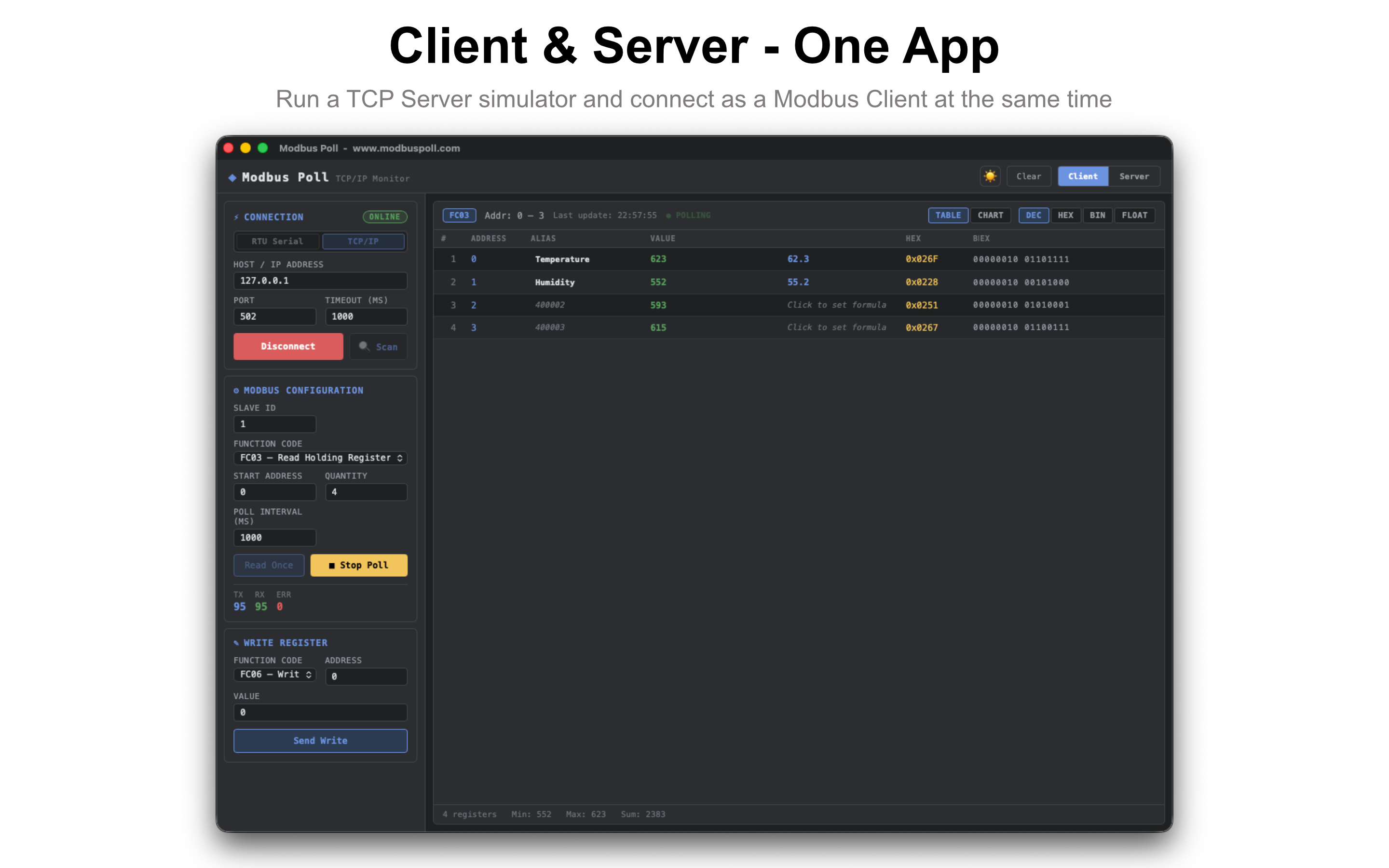
Monitor, write, and simulate Modbus RTU & TCP devices on macOS, Windows, Linux, and Android. Built-in TCP Server, MQTT publishing, and CSV logging — no hardware required.

Download

macOS iOS 🪟 Windows 🐧 Linux 🤖 Android View Features

macOS · Apple Silicon · v0.1.11  ·  Windows · x64 · v0.1.11  ·  Linux · x64 · v0.1.11  ·  Android · Google Play

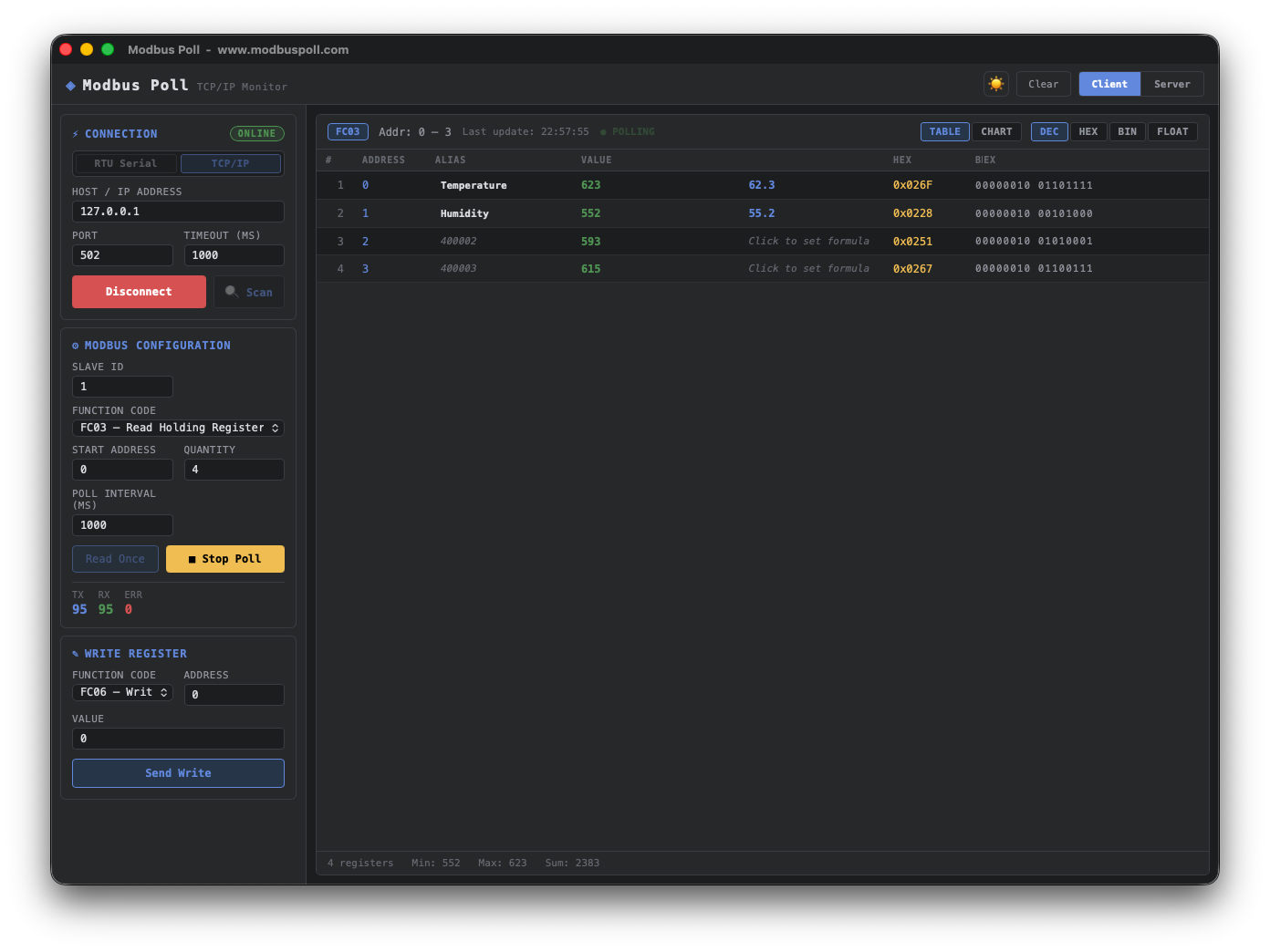
Modbus Poll — macOS
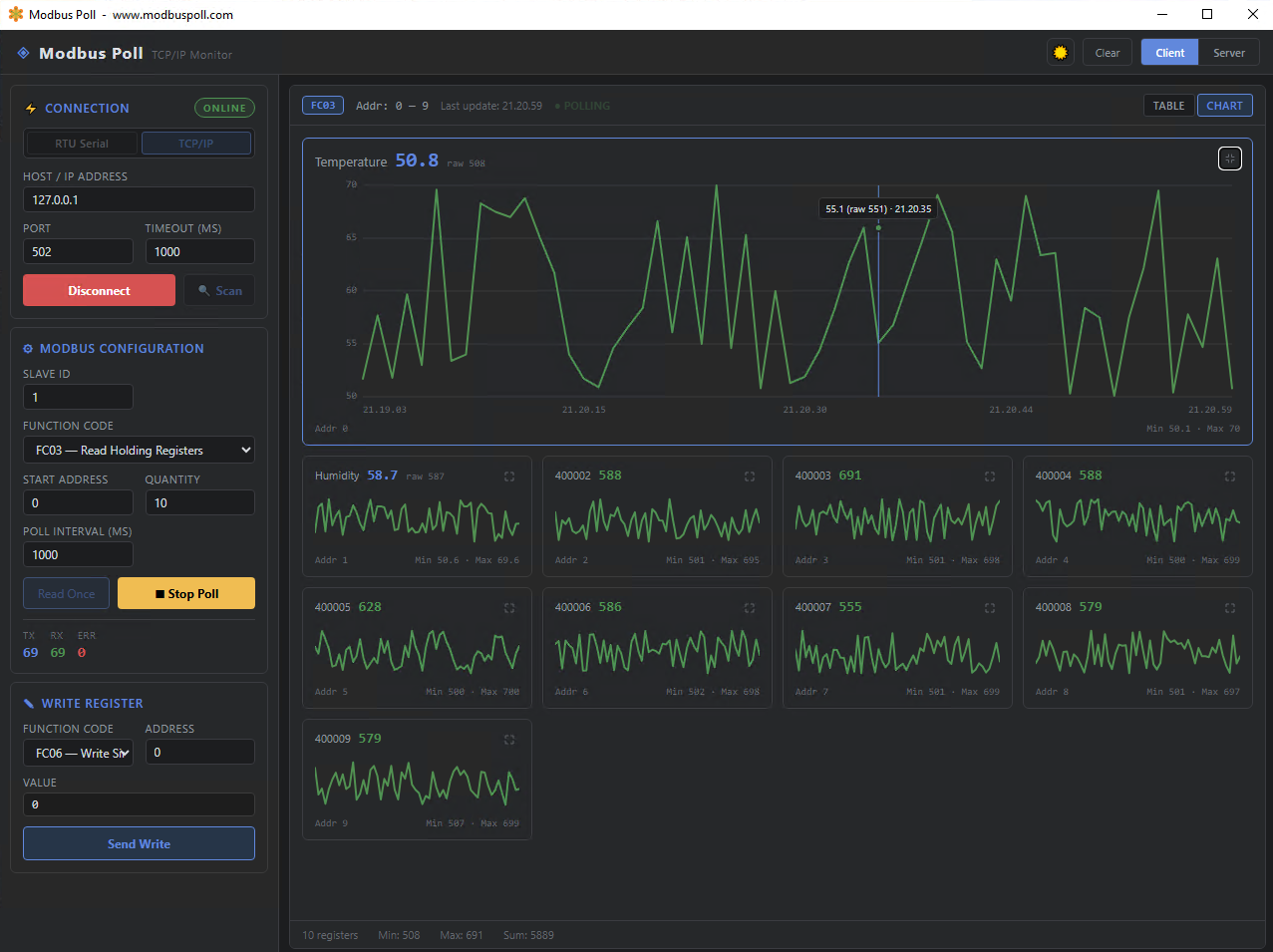
Modbus Poll — Windows
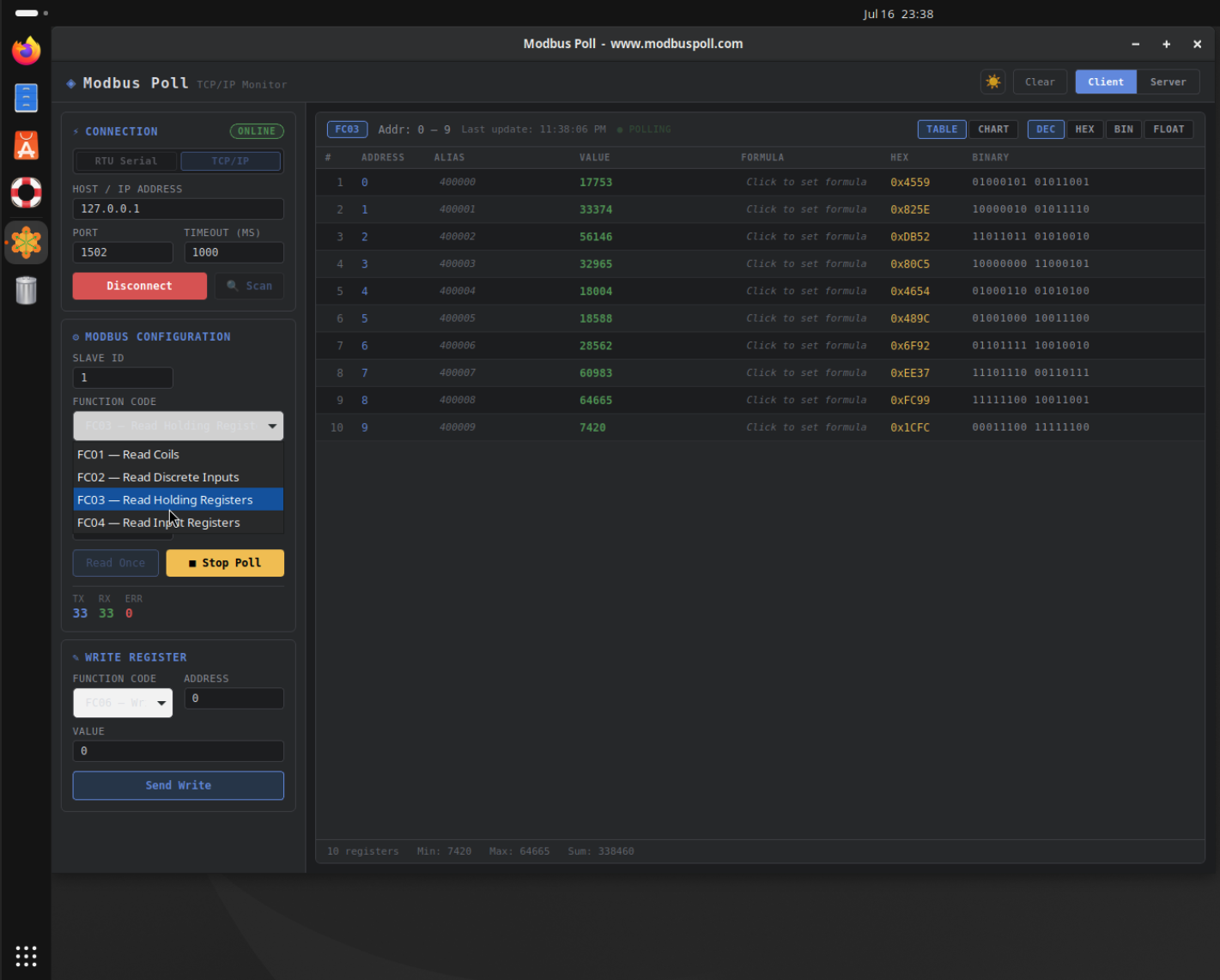
Modbus Poll — Linux
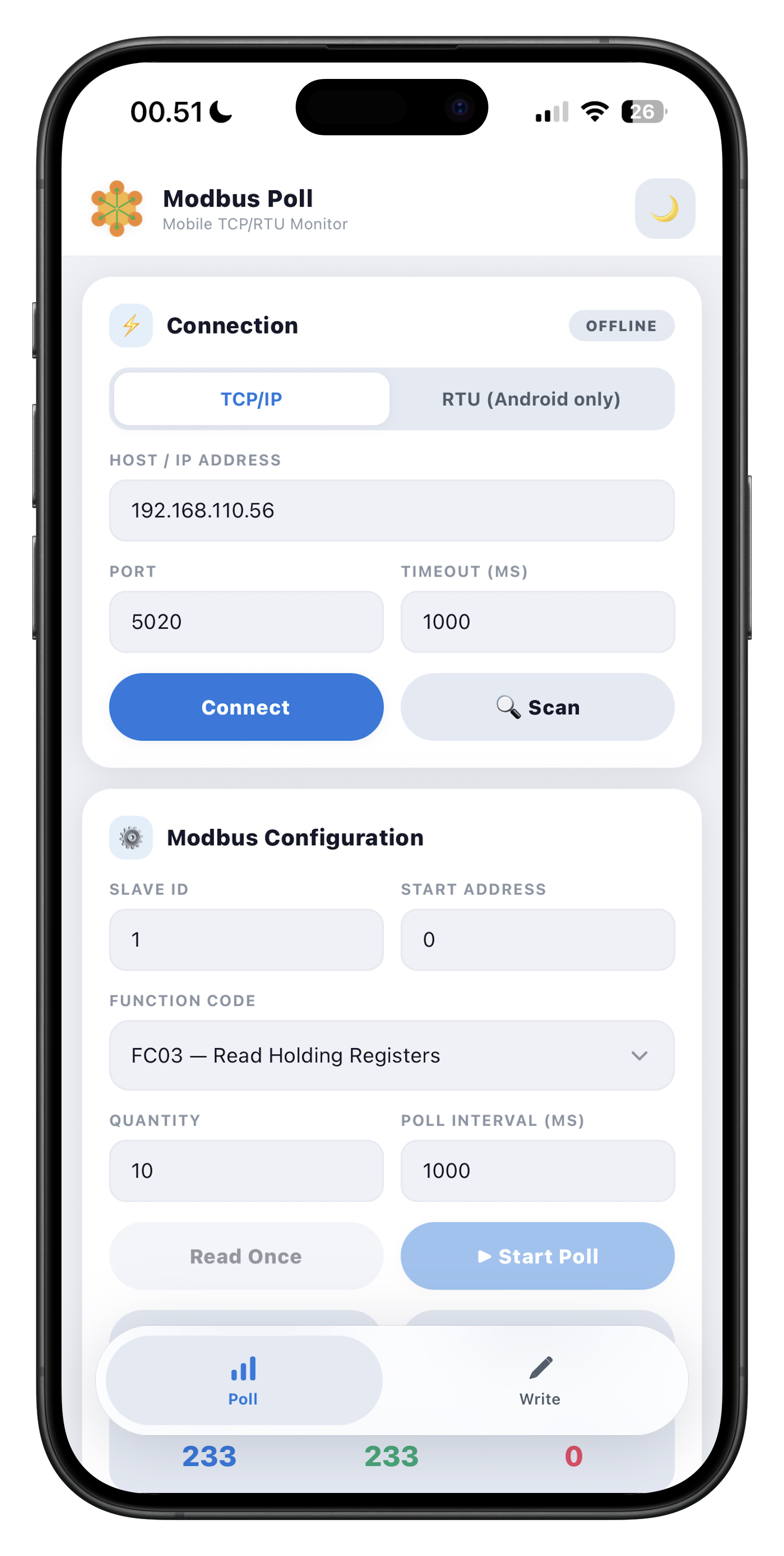
Modbus Poll — iOS & Android

Features

Everything you need for Modbus testing

Built with Tauri + Rust for native performance on macOS, Windows, and Linux, with a clean, minimal interface.

🔌
RTU Serial Connection
Connect via any serial port with full configuration — baud rate, data bits, stop bits, parity, and timeout.
🌐
TCP/IP Connection
Connect to Modbus TCP devices over the network. Configure host IP, port (default 502), and connection timeout.
📡
Read Registers
Supports FC01 (Coils), FC02 (Discrete Inputs), FC03 (Holding Registers), and FC04 (Input Registers).
✏️
Write Registers
Write single or multiple coils and registers with FC05, FC06, FC15, and FC16 function codes.
🔄
Auto Polling
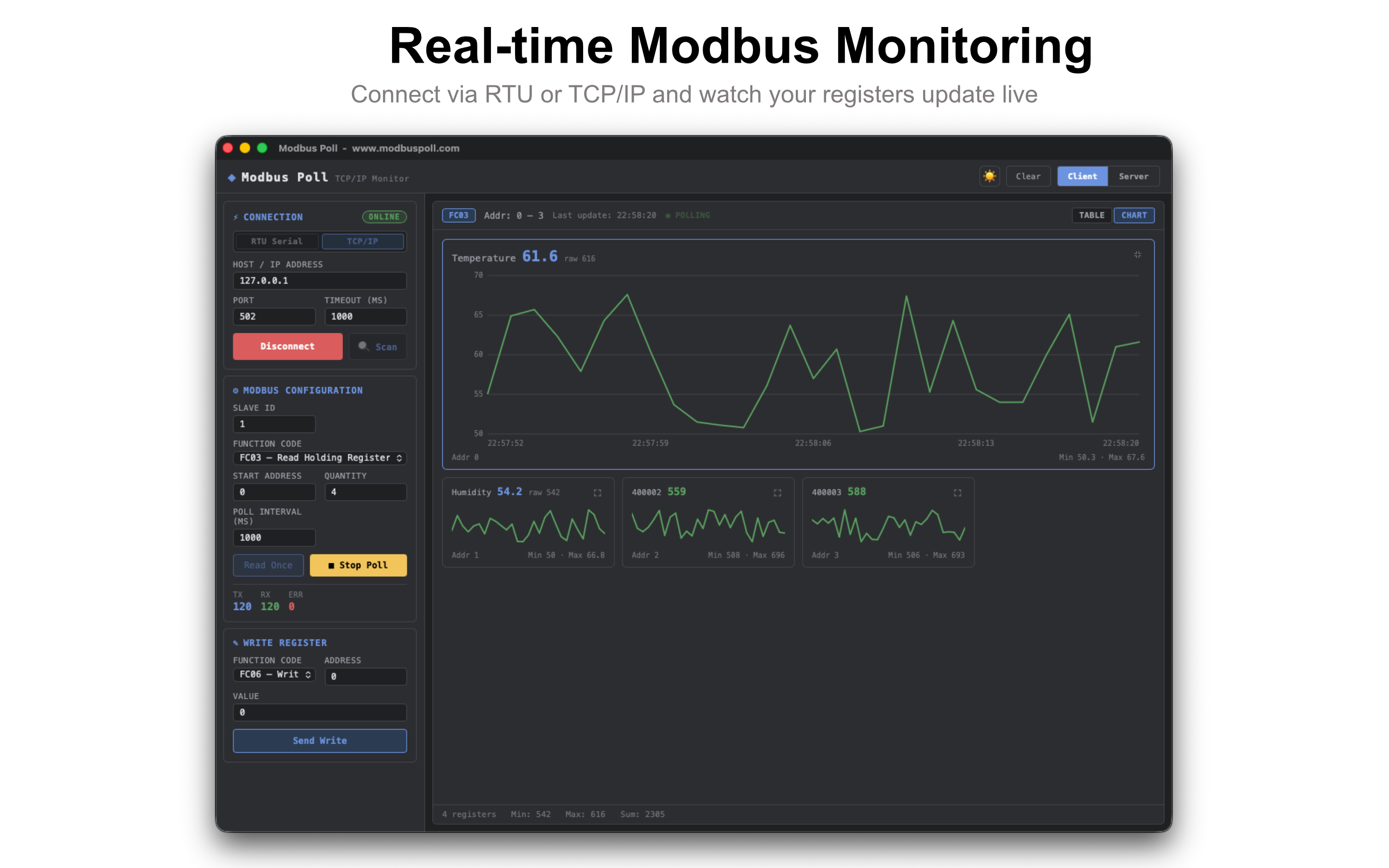
Continuous polling at configurable intervals (100ms – 60s). Track TX, RX, and error counters in real time.
🔢
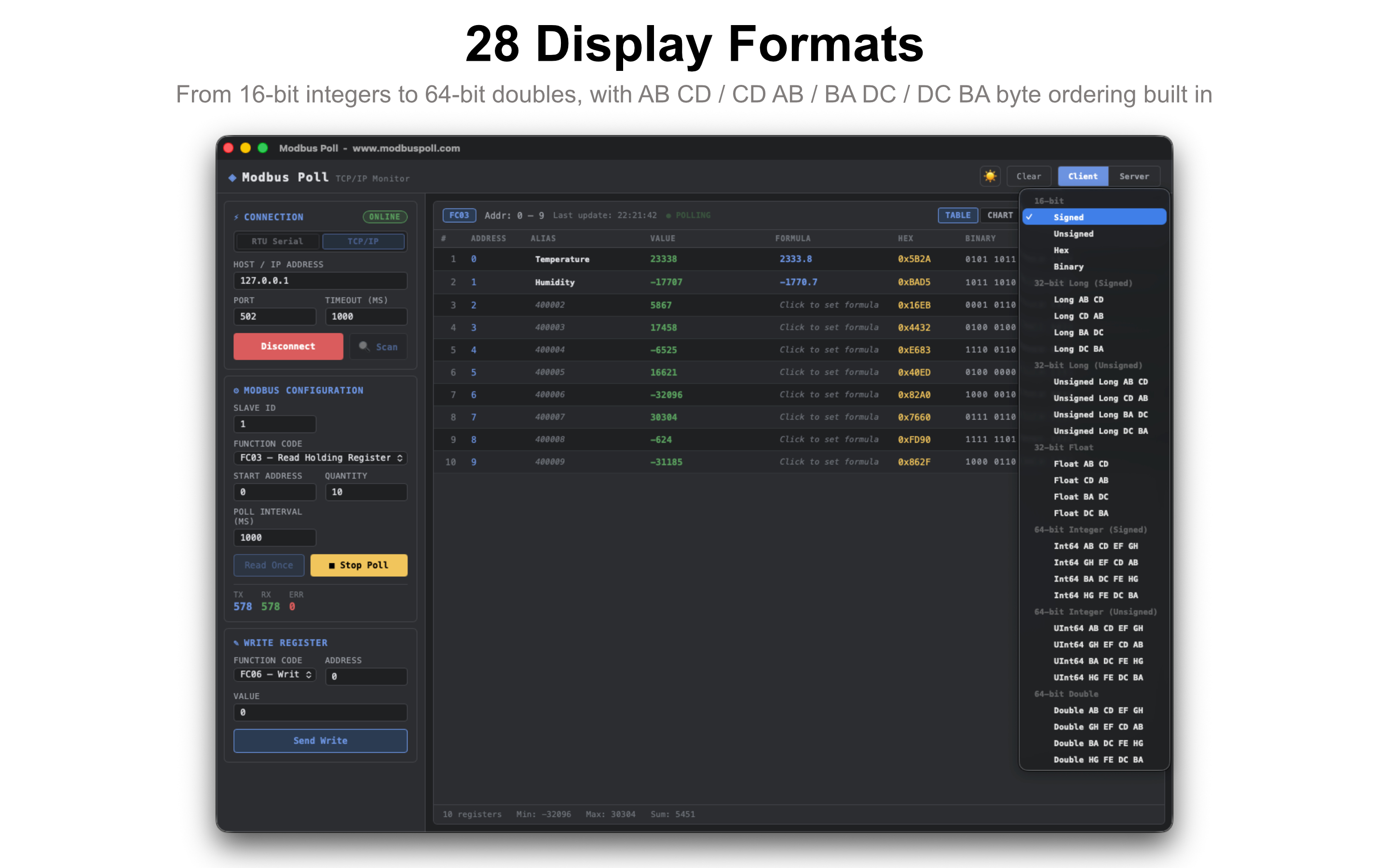
28 Display Formats
From 16-bit integers to 64-bit doubles, with signed, unsigned, hex, and binary views plus AB CD / CD AB / BA DC / DC BA byte ordering built in. Override the format per register, independent of the global setting.
MQTT Publishing
Stream live register readings to any MQTT broker, with TLS and authentication support. Feed dashboards, Node-RED, Home Assistant, or your own pipeline.
📝
CSV Data Logging
Export live register readings straight to a CSV file as they arrive, with no size limit — ideal for long-running data collection and offline analysis.
📈
Combined Chart View
Overlay up to 8 registers on a single graph with a toggleable legend — perfect for comparing related values side by side.
🖥️
TCP Server Simulator
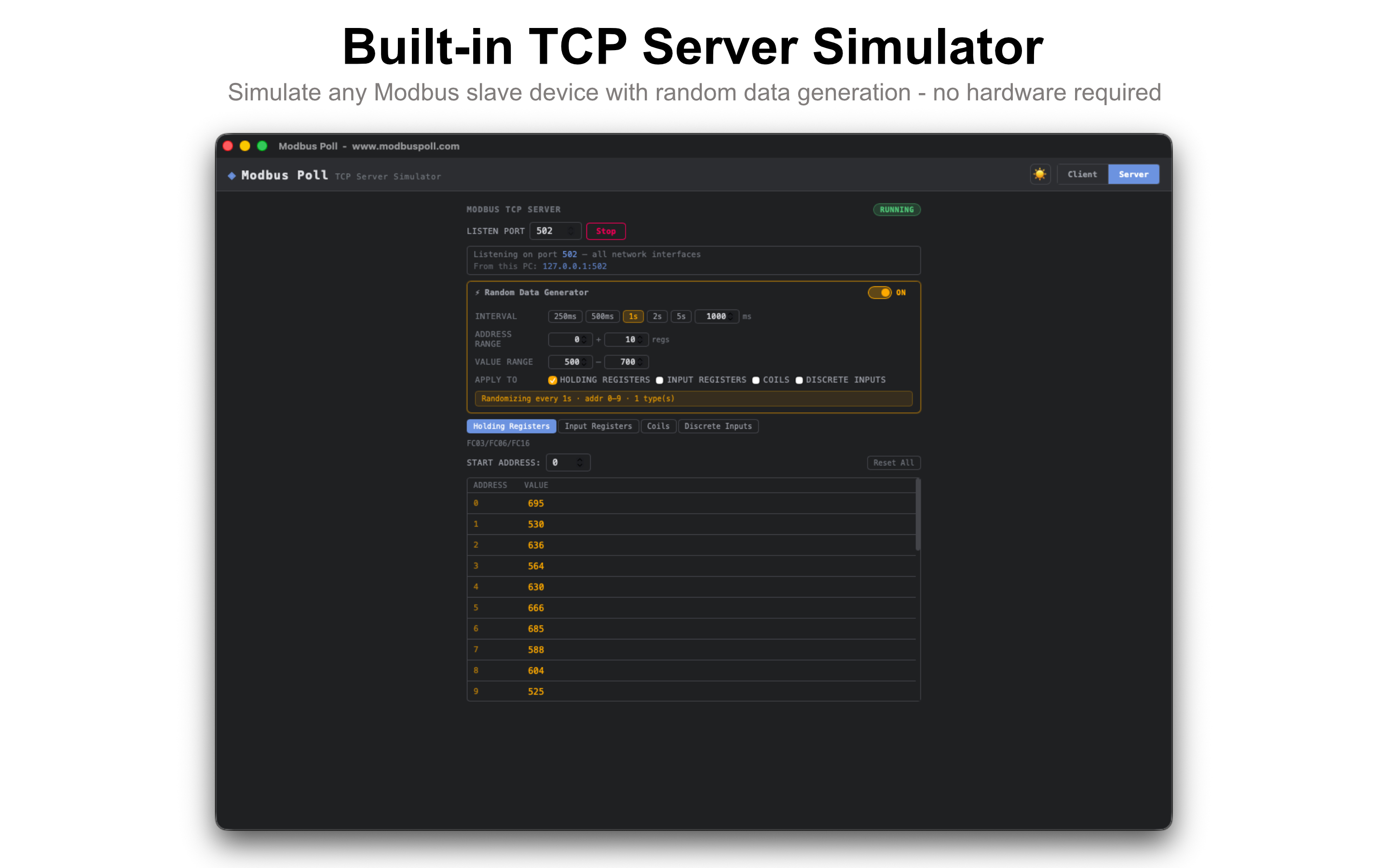
Run a built-in Modbus TCP slave directly from the app. Respond to FC01–FC16 requests from any master on your network. No hardware required.
🎲
Random Data Generator
Auto-randomize holding registers, input registers, coils, or discrete inputs on a configurable interval (250ms–5s). Perfect for stress-testing HMIs and dashboards.
🔍
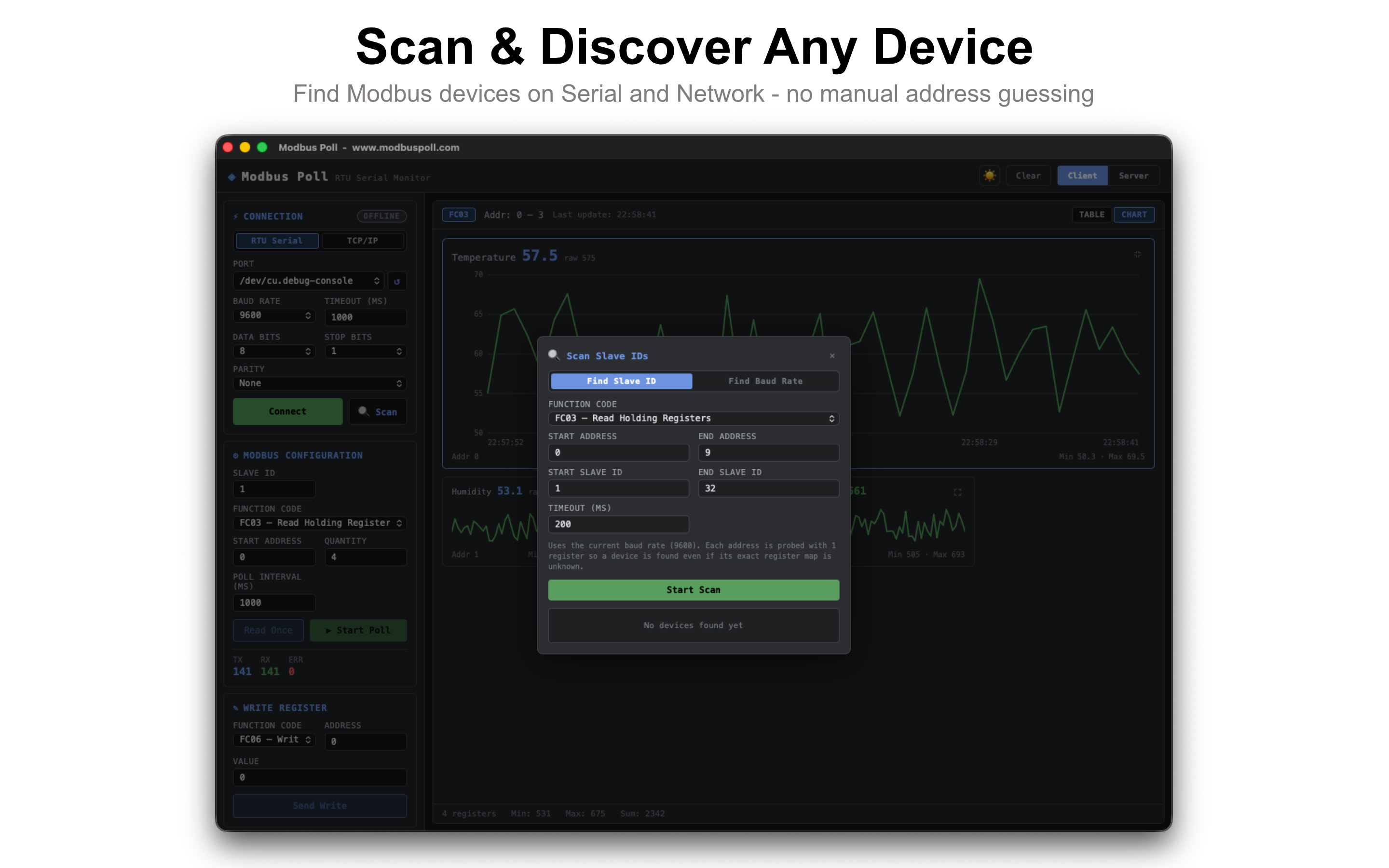
Serial Scan
Automatically find a device's slave ID or baud rate over RTU serial — no more guessing connection settings.
📶
LAN Scan
Discover Modbus TCP devices on your network by scanning an IP/subnet and host range, with configurable timeout.

Technical Details

Platform
macOS · Windows · Linux · Android
Architecture
Apple Silicon · x64
Version
0.1.11
macOS Installer
Mac App Store
Windows Installer
MSI (x64)
Linux Installer
deb / rpm / AppImage
RTU Protocol
Modbus RTU
TCP Protocol
Modbus TCP
Default TCP Port
502
Slave ID Range
1 – 247
Max Registers
125 / poll
Built With
Tauri + Rust

Download

Get Modbus Poll

Apple

macOS

Version 0.1.11 · Apple Silicon

⬇ Download on App Store

Available on the Mac App Store.

Apple

iOS

App Store

⬇ Download on App Store

Available on the App Store for iPhone.

🪟

Windows FREE

Version 0.1.11 · x64 · MSI Installer

⬇ Download for Windows

Free MSI installer for Windows x64.

🐧

Linux FREE

Version 0.1.11 · x64 · deb / rpm / AppImage

⬇ Download .deb

Also available:

🤖

Android FREE

Google Play

⬇ Get it on Google Play

Available on Google Play.

🐧 Linux Installation

.deb (Debian / Ubuntu) sudo dpkg -i "Modbus Poll_0.1.11_amd64.deb"
.rpm (Fedora / RHEL) sudo rpm -i "Modbus Poll-0.1.11-1.x86_64.rpm"
.AppImage (Any distro) chmod +x "Modbus Poll_0.1.11_amd64.AppImage" && ./"Modbus Poll_0.1.11_amd64.AppImage"
.deb (Debian 10 / Astra Linux) sudo dpkg -i "modbus-poll_0.1.11_amd64_debian_10.deb"

Changelog

Release Notes

What's new in recent Modbus Poll updates.

Latest 0.1.11
  • MQTT publishing — stream live register readings to any MQTT broker, with TLS and authentication support, to feed dashboards, Node-RED, Home Assistant, or your own automation pipeline.
  • Per-register format override — set a display format (Signed, Float, Double, etc.) for an individual register, independent of the global format setting.
0.1.10
  • Real-time CSV data logging — export live register readings straight to a CSV file (opens directly in Excel) as they arrive, with no size limit. Great for long-running data collection.
  • Changed the default TCP Server / Client port to 5020 (from 502) and default host to 127.0.0.1, so the built-in Server Simulator works out of the box on macOS — you can still connect to real devices on port 502 by entering it manually.
  • Stability and macOS App Store packaging fixes so the TCP Server Simulator and CSV logging work correctly in the sandboxed release.
0.1.7
  • Hexadecimal address input — type addresses like E376H or 0xE376 directly into Start Address, Write Address, and Scan Address fields.
  • 28 register display formats — Signed, Unsigned, Hex, Binary, 32-bit Long (signed/unsigned), 32-bit Float, 64-bit Integer (signed/unsigned), and 64-bit Double — each with the 4 standard byte-order options (AB CD / CD AB / BA DC / DC BA).
  • Combined Chart view — overlay up to 8 registers on a single graph with a toggleable legend, for easy side-by-side comparison.
  • Expanded the built-in TCP Server Simulator to the full 0–65535 register range, and increased max Quantity for Read Coils / Read Discrete Inputs to 2000.
0.1.5
  • Live register charting — sparkline trend view with history for every polled register.
  • Custom formula support — scale raw register values to real-world units (e.g. x/10).
  • Register aliases — name your registers for easier reading.
  • Refreshed color theme and UI polish.

Also from the Developer

More Tools You Might Like

IceQL
New Product
IceQL
A modern, lightweight SQL client for macOS — built with Rust for blazing fast performance. Connect to your databases, run queries, and explore your data, all in a clean, minimal interface.
Visit IceQL →
Direct Print
macOS App
Direct Print
Silent POS printing from any web app — no print dialog, no pop-up. A lightweight macOS menu bar app that lets your web-based cashier print receipts directly to any thermal or dot matrix printer.
Visit directprint.app →